| Version 5 (modified by , 13 years ago) ( diff ) |
|---|
Details
I've censored certain details in the description below both to prevent issues with security and to make things somewhat easier to understand. A description of each detail parameter is listed in the table below. For single permanent values, I've used all caps, and for example parameters, I've used the @TEMP_FILE@ convention.
| DMZ_HOST | Public internet connected computer that shields the computing nodes. |
| SEC_HOST | Secure internal front end to the computing nodes. Located beyond DMZ_HOST. |
| DMZ_DN | Full domain name for the DMZ_HOST |
| USERNAME | Cluster username |
| IPP_PATH | Path to IPP build |
Logging in
To reduce the number of login/password authorizations, it's recommended to use the ControlMaster ssh parameters. This requires only the first connection to be validated, as subsequent connections are passed through the already validated connection. The .ssh/config options to implement this are:
Host DMZ_HOST
  User          USERNAME
  Hostname      DMZ_DN
  ForwardX11    yes
  ForardAgent   yes
  RequestTTY    force
  ControlMaster auto
  ControlPath   ~/.ssh/connections/%h_%p_%r
The ~/.ssh/connections/ directory needs to be created if it does not already exist. With this configuration in place, you can log in to the computing front end with ssh -t DMZ_HOST ssh SEC_HOST. The DMZ_HOST does not support commands other than ssh and scp, and is used only to bounce the connection to SEC_HOST.
Data transfer
As the DMZ_HOST does not have available disk space, data transfers need to write directly to the SEC_HOST disks. The following commands illustrate how to use scp to transfer files to and from SEC_HOST:
scp @LOCAL_FILE@ DMZ_HOST:SEC_HOST:/@PATH_TO_DESTINATION@/
scp DMZ_HOST:SEC_HOST:/@PATH_TO_FILE@/@REMOTE_FILE@ @LOCAL_DESTINATION@
Data transfer connections need to be established from outside, as SEC_HOST cannot see the public internet.
SEC_HOST storage locations
There are four main storage locations.
| homedir | Small, and should not be used for anything that can be placed elsewhere. |
| /usr/projects/ps1/ | This should be the default storage location for non-transient data products. It should have in the future more disk space than it currently reports (20GB). |
| /scratch/USERNAME/ | A very large single volume that is automatically cleaned on timescales of weeks. |
| /scratch3/USERNAME/ | Same. |
IPP build
Due to the data transfer limitations, svn co will not work on SEC_HOST. A copy of the code needs to be pushed into place. However, a slightly old (r35169 2013-02-14) version of IPP is available, which I was able to get to work simply by adding
alias psconfig "source IPP_PATH/psconfig.csh"
psconfig default
in my .cshrc.
Attachments (7)
- rate_by_N.png (5.7 KB ) - added by 13 years ago.
- rate_by_jobs.png (6.1 KB ) - added by 13 years ago.
- fs_10M.png (5.1 KB ) - added by 13 years ago.
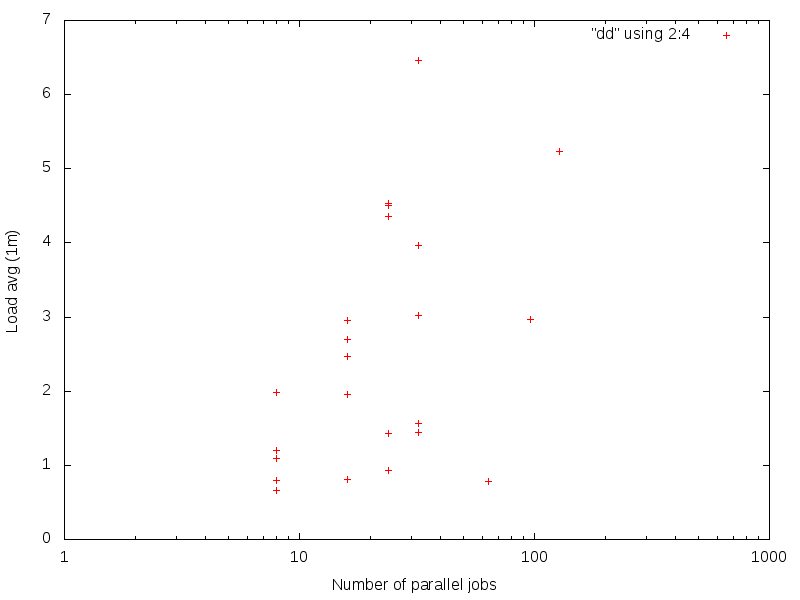
- load_by_jobs.png (4.5 KB ) - added by 13 years ago.
- load_by_N.png (4.5 KB ) - added by 13 years ago.
- rate_by_parallel.png (7.6 KB ) - added by 13 years ago.
- IMG_20140516_165558_259.jpg (305.9 KB ) - added by 12 years ago.
Download all attachments as: .zip