| Version 11 (modified by , 16 years ago) ( diff ) |
|---|
Nebulous Performance Analysis
The goal of this page is to give some details about the Nebulous performance computation.
Framework and Tools
The tools for analysis come from https://svn.pan-starrs.ifa.hawaii.edu/repo/ipp/trunk/tools/log_parsing. Namely, the script called nebulous_activity.py is run (its argument being the name of the directory where the Apache logs are stored. The script logs what it is doing on /dev/stderr and its results on /dev/stdout. Under bash, the best is therefore to run it this way:
python ./nebulous_activity.py > results 2> execution.log
so that the execution can be more easily monitored.
The results are not sorted (by date). This can be done by: sort results > results.sorted. The results output format is a SSV (Space Separated Values) file organized in lines (end of line is \n). A result line starts by a timestamp (e.g. 2011-02-13T21:40:00) and numbers detailing the Apache/Nebulous activity during the 10 minutes following the timestamp (that is what happened between 2011-02-13T21:40:00 and 2011-02-13T21:49:59+(1-epsilon)). The first number is the total of Nebulous related messages in the access_log; the second one is the number of entries in the error_log; the third is the number of Nebulous create requests messages, the fourth is the number of find_instance requests; the fifth is the number of delete requests; the sixth is the number of fail_stat requests; the seventh of stat requests; the eighth the Nebulous unknown request (hence the first number is the sum of columns 3 to 8); the last/ninth column is the count of non-Nebulous requests.
[<timestamp>_<Nebulous messages>_<Apache errors>_<Create>_<Find Instance>_<Delete>_<Fail Stat>_<Stat>_<Other Nebulous>_<Non Nebulous>]
- The underscore is a more visual representation of a space (0x20)
- <timestamp> is in ISO8601 format YYYY-MM-DDTHH:MM:SS. The utility convert_date_iso_to_epoch.py (in the same SVN repository) can be used to convert it to YYYYMMDDHHMMSS, that is, an integer value chronologically ordered that can be used as an input value for gnuplot).
- <Apache errors> can sometimes be -1. It means either that no data was available, or that there was no entry in the error_log file for the 10-minute sampling period. The distinction is not made because 1) it will require to add more code (I let you guess all the cases that may occur); 2) once plotted, the average human will not mage any difference between -1 and 0 (specially when values as large as 1000 are drawn).
Note: parsing log files can last LONG (Rule of the thumb 1 hour for 1 million lines for ippc00 (RAM 32G/IntelXeon 2.4Ghz, cache 6M, no RAID?). If you find the law, write it down)
Note: I have to mention the existence of apachelog which is a suite of Python utilities to parse Apache log files. I did not used it because we are not interested in details of Apache (e.g. hosts where the requests come from) but in Nebulous activity. If one day, we need more details, think about using it.
Input Data: Case Study
I took data from the current ippdb00:/var/log/apache2/ directory, where current means 2011-02-15T16:18:59). The directory contains access and error logs for the period 2011-01-31T16:20:04 to current date. Six files are interesting for us, 3 access_log files and 3 error_log files:
- access_log (2084564561 = ~2G bytes): 26294806 = 26M lines; from 14/Feb/2011:10:22:29 to 15/Feb/2011:16:18:59;
- access_log-20110211.gz (828543325 bytes): from ; 216789642=217M lines
- access_log-20110214.gz (176265546 bytes): 46813199=47M lines
- error_log (1346265 bytes): 15350 lines; from Mon Feb 14 10:22:29 to Tue Feb 15 16:19:05 2011;
- error_log-20110211.gz (353396 bytes): 139075 =~ 139k lines
- error_log-20110214.gz (438683 bytes): 981899 =~ 982k lines
(File stats for gziped files: for f in *.gz; do echo -n "$f: "; zcat $f | wc -l; done)
Anything else?
Attachments (23)
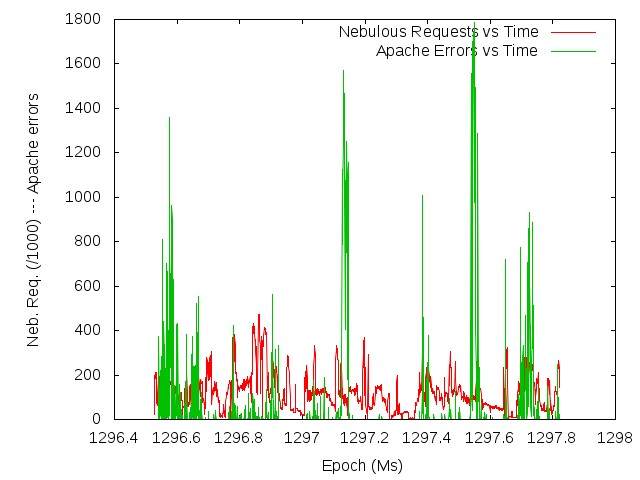
- apacheErrors_and_nebulousRequests_vs_Time.jpg (53.5 KB ) - added by 16 years ago.
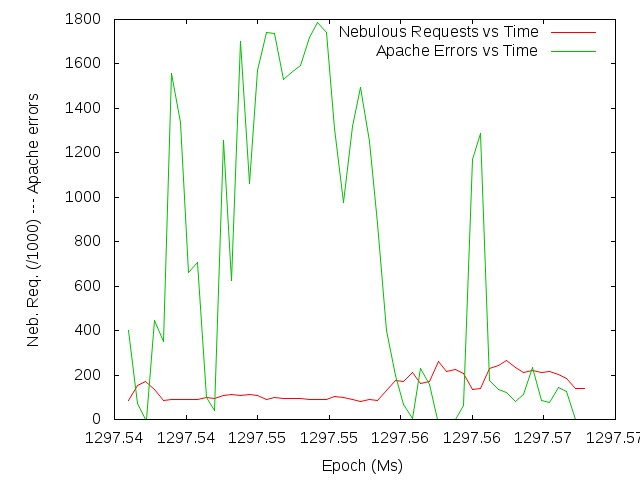
- apacheErrors_and_nebulousRequests_vs_time_local.jpg (47.5 KB ) - added by 16 years ago.
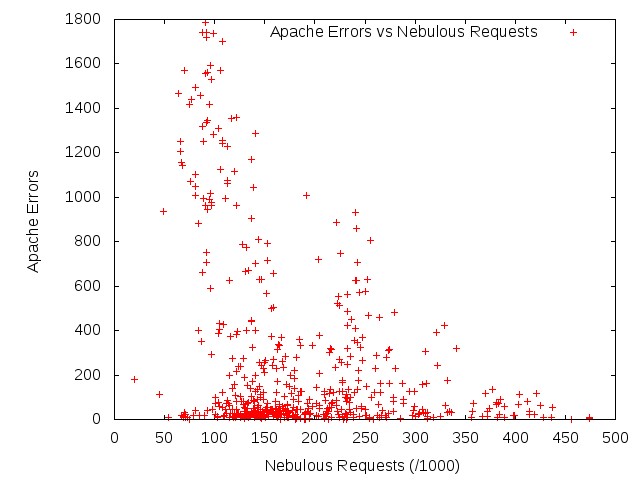
- apacheErrors_vs_nebulousRequests.jpg (54.9 KB ) - added by 16 years ago.
- apacheErrors_and_otherNebulousRequests_vs_time_local.jpg (49.4 KB ) - added by 16 years ago.
- apacheErrors_and_NonNebulousRequests_vs_time_local.jpg (46.9 KB ) - added by 16 years ago.
- instructions.gnuplot (2.7 KB ) - added by 16 years ago.
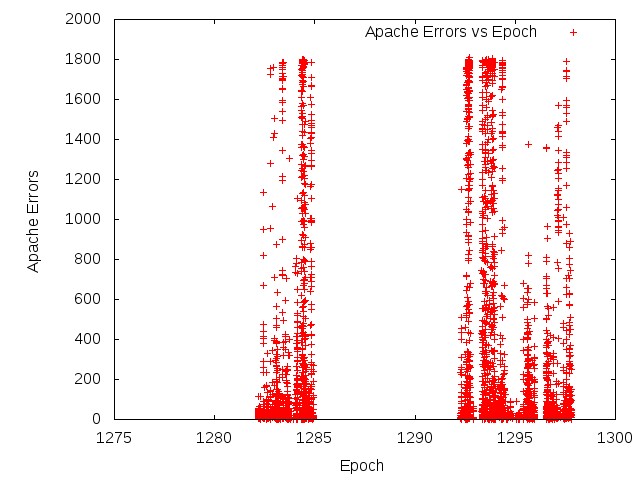
- total_ApacheErrors_vs_Epoch.jpg (66.0 KB ) - added by 16 years ago.
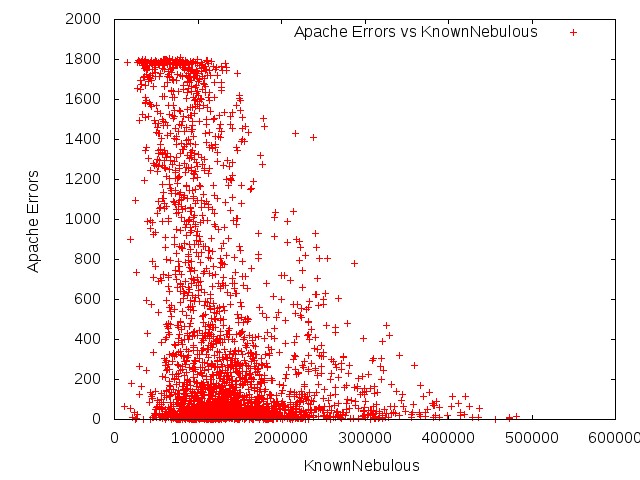
- total_ApacheErrors_vs_KnownNebulous.jpg (80.0 KB ) - added by 16 years ago.
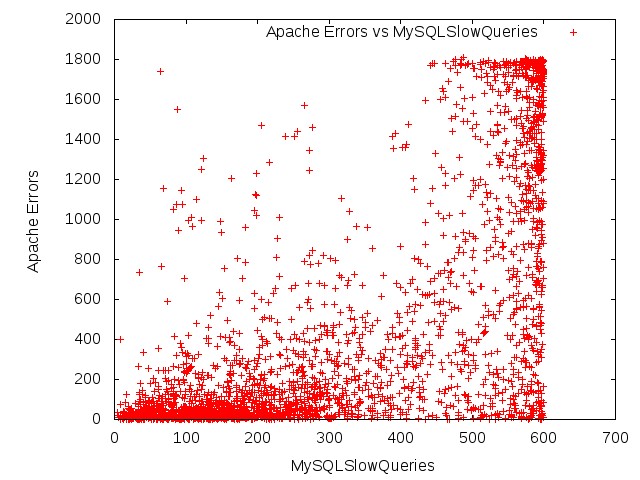
- total_ApacheErrors_vs_MySQLSlowQueries.jpg (97.6 KB ) - added by 16 years ago.
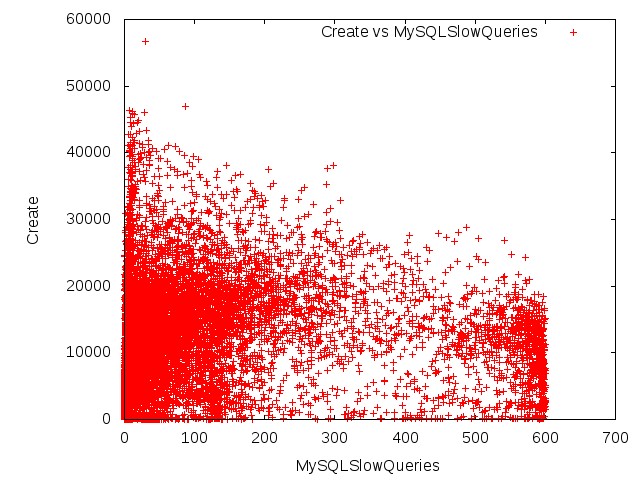
- total_Create_vs_MySQLSlowQueries.jpg (100.0 KB ) - added by 16 years ago.
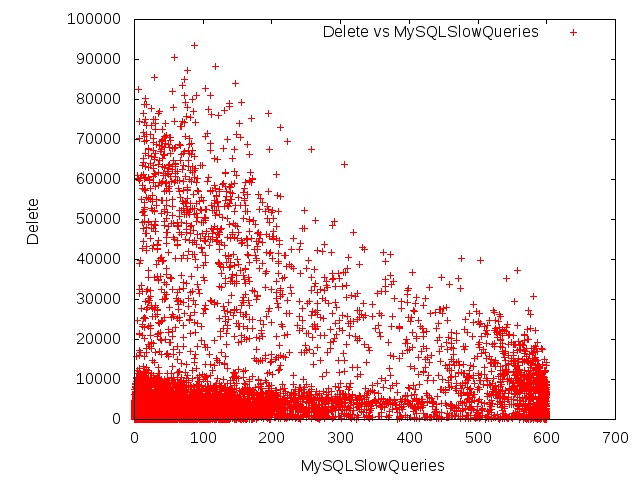
- total_Delete_vs_MySQLSlowQueries.jpg (97.7 KB ) - added by 16 years ago.
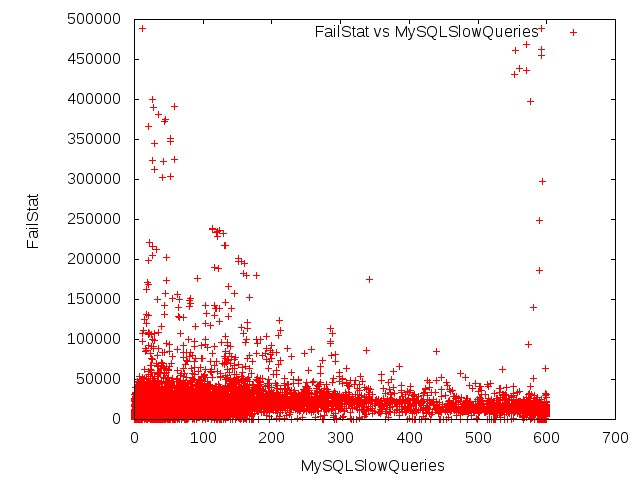
- total_FailStat_vs_MySQLSlowQueries.jpg (56.9 KB ) - added by 16 years ago.
- total_KnownNebulousRequest_vs_Epoch.jpg (56.8 KB ) - added by 16 years ago.
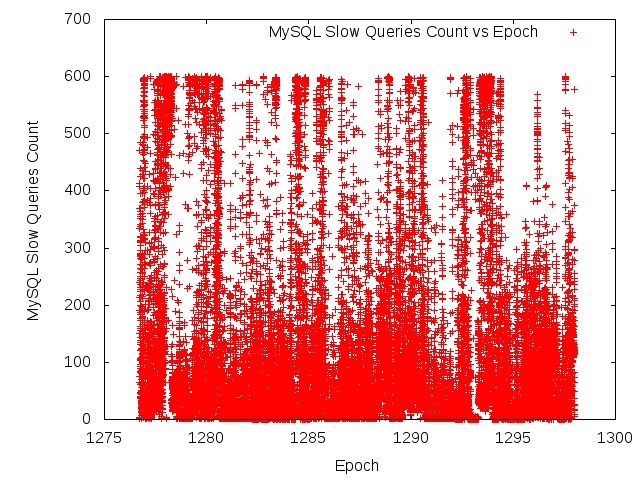
- total_MySqlSlowQueries_vs_Epoch.jpg (139.6 KB ) - added by 16 years ago.
- total_NonNebulousRequest_vs_Epoch.jpg (73.9 KB ) - added by 16 years ago.
- total_NonNebulous_vs_MySQLSlowQueries.jpg (119.8 KB ) - added by 16 years ago.
- total_OtherNebulousRequest_vs_Epoch.jpg (45.0 KB ) - added by 16 years ago.
- total_OtherNebulous_vs_MySQLSlowQueries.jpg (79.3 KB ) - added by 16 years ago.
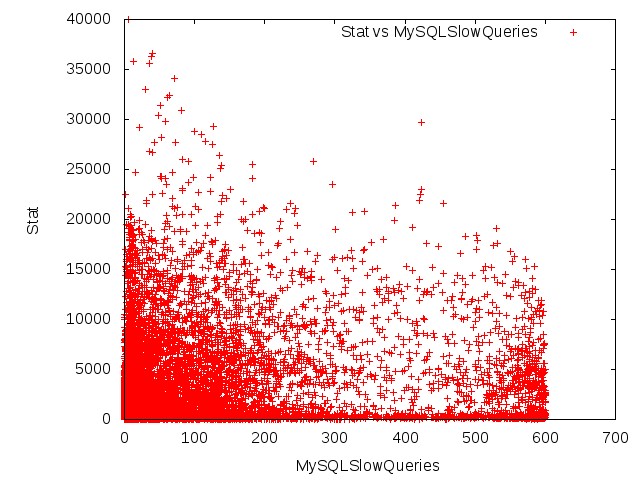
- total_Stat_vs_MySQLSlowQueries.jpg (95.1 KB ) - added by 16 years ago.
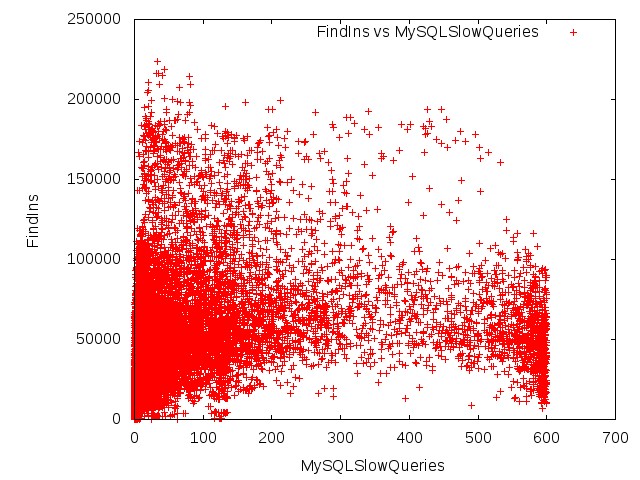
- total_FindIns_vs_MySQLSlowQueries.jpg (106.2 KB ) - added by 16 years ago.
- results.bz2 (397.5 KB ) - added by 16 years ago.
- generate_scripts.py (5.1 KB ) - added by 16 years ago.
- template.gnuplot (370 bytes ) - added by 16 years ago.
Download all attachments as: .zip