| Version 2 (modified by , 17 years ago) ( diff ) |
|---|
Creating PR Images with the IPP
General Outline
- Reduce data (IPP)
- Rebin individual skycells (Mana)
- Stitch skycells into mosaics (IDL)
- Remove additive offsets between skycells to flatten mosaic background level (IDL)
- Create color composite (IDL)
- Final aesthetic tweaks (GIMP / Photoshop)
Reduce data (IPP)
- Make a local tesselation of the sky centered on the object of interest. Doing this minimizes the projection distortion effects
skycell code here
- This CATDIR needs to be added to the site.config file of whomever is running the IPP
- Three is a PR reduction class which is tailored to creating PR images. It differes from the default reduction in the following ways:
- Minimal photometry (increases speed)
- No convolution during stacking (increases speed)
- No background subtraction (preserves extended emission)
- Start reduction with commands like this
prchip code
Then, when that finishes, stack the reduced images
prstack code
Rebin the skycells (mana)
- Using sql, neb-locate, etc, copy the stacked skycells into a local directory
- The attached mana script rebins the skycells into more manageable sizes. 8x8 binning will create a final mosaic of approximately 6K x 6K pixels
Stitch the skycells together (IDL)
- The IDL script stitch.pro tiles the skycells together into a large mosaic.
Remove additive offsets (IDL)
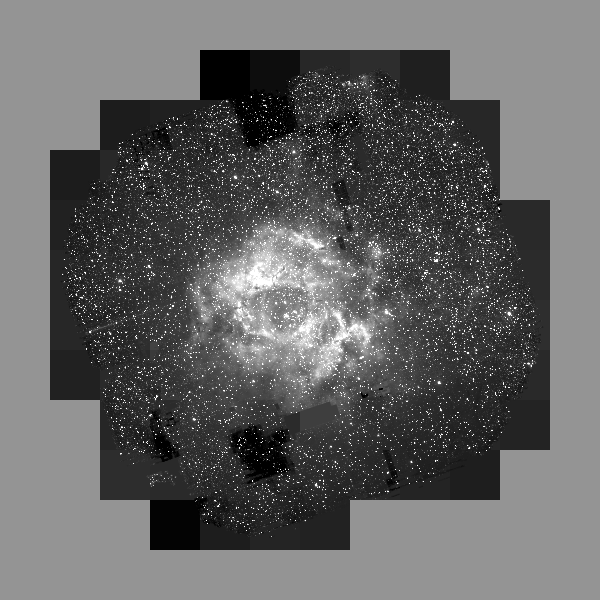
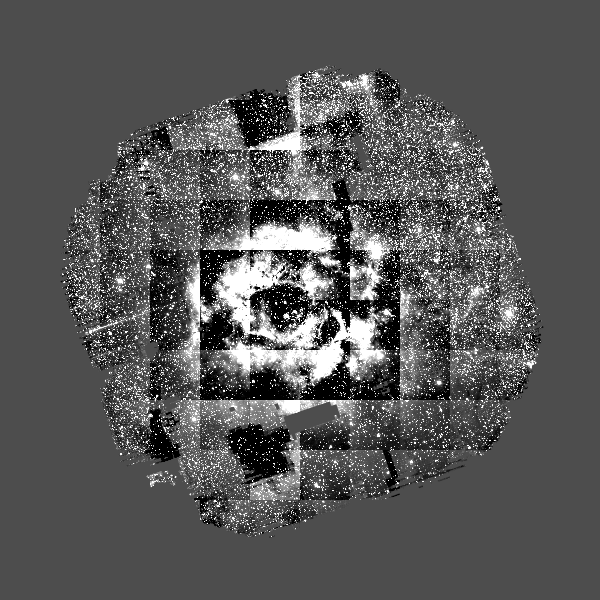
- The PR reduction class skips background subtraction in an effort to preserve extended emission structures. As a side effect of this process, the final skycells have arbitrary additive offsets which need to be corrected. The IDL script tile.pro does a fairly good job of performing this task. It performs a least-squares minimization of the brightness difference along tile boundaries.


Create the color composite (IDL)
- The script color.pro combines the (GRI) images into a (BRG) color composite. It applies an arcsinh transform to reduce the dynamic range of the data. The parameters of this code (especially the color weights, wr, wg, wb, and the 'width' of the arcsinh transform rscale, gscale, bscale) usually need to be tweaked to produce a good color balance.
Final Tweaks (GIMP)
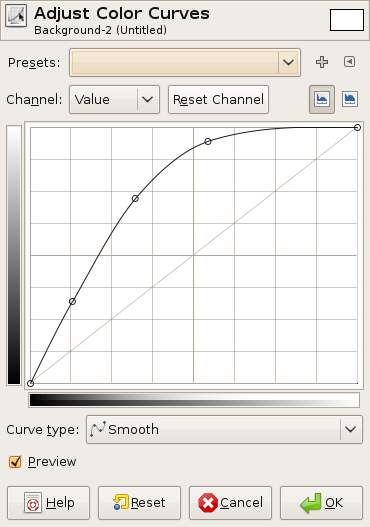
- Final tweaks to the brightness, etc. are most easily accomplished in GIMP or Photoshop. I often use the color->curves tool to boos the brightness of faint regions and set the black threshhold to cover up noise. My transfer function usually looks something like this:

Unresolved Issues
- The early steps of this process this process (rebinning, stitching, removing offsets) could probably be integrated more smoothly into the IPP
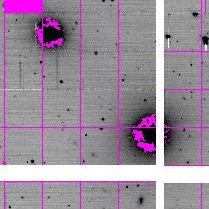
- Reduced data from the Fornax cluster display masked annuli around bright galaxies. This should be addressed.


- The I band stacking of the North American Nebula has been failing. (LABEL NUMBER???)
- The Comet Lulin data do not have an appropriate dark frame, and the data reduced with the default dark is pretty ugly. If possible, a new dark should be created for the Lulin data.
Attachments (8)
- after.png (127.5 KB ) - added by 17 years ago.
- before.png (144.5 KB ) - added by 17 years ago.
- galaxy_mask_1.jpeg (2.7 KB ) - added by 17 years ago.
- galaxy_mask_2.jpeg (13.0 KB ) - added by 17 years ago.
- curve.png (29.3 KB ) - added by 17 years ago.
- color.pro (2.7 KB ) - added by 17 years ago.
- stitch.pro (2.7 KB ) - added by 17 years ago.
- tile.pro (5.1 KB ) - added by 17 years ago.
Download all attachments as: .zip
Note:
See TracWiki
for help on using the wiki.